16.5.2 Lab - Configuring SSH and Securing Network Answers
Kool: Tallinna Tehnikaülikool (TalTech, TTÜ)
Aine: Arvutivõrkude alused
Kategooria: Informaatika
Postitatud: 14 jaanuar 2025
Postitaja: tegelane
Kirjeldus
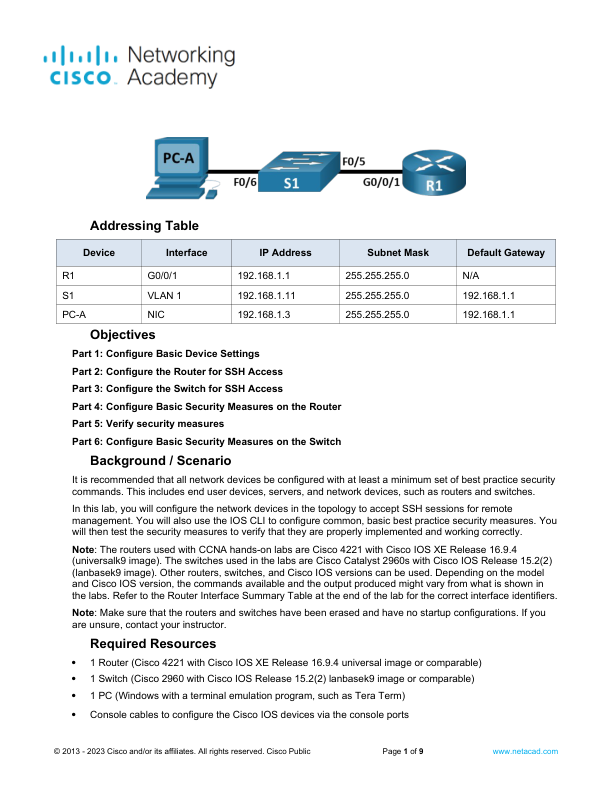
Addressing Table Device Interface IP Address Subnet Mask Default Gateway R1 G0/0/1 192.168.1.1 255.255.255.0 N/A S1 VLAN 1 192.168.1.11 255.255.255.0 192.168.1.1 PC-A NIC 192.168.1.3 255.255.255.0 192.168.1.1 Objectives Part 1 Configure Basic Device Settings Part 2 Configure the Router for SSH Access Part 3 Configure the Switch for SSH Access Part 4 Configure Basic Security Measures on the Router Part 5 Verify security measures Part 6 Configure Basic Security Measures on the Switch Background / Scenario It is recommended that all network devices be configured with at least a minimum set of best practice security commands. This includes end user devices servers and network devices such as routers and switches. In this lab you will configure the network devices in the topology to accept SSH sessions for remote management. You will also use the IOS CLI to configure common basic best practice security measures. You will then test the security measures to verify that they are properly impl…